
Flow State or Documentation: This Skill Lets You Have Both
A Claude skill to keep your working notes

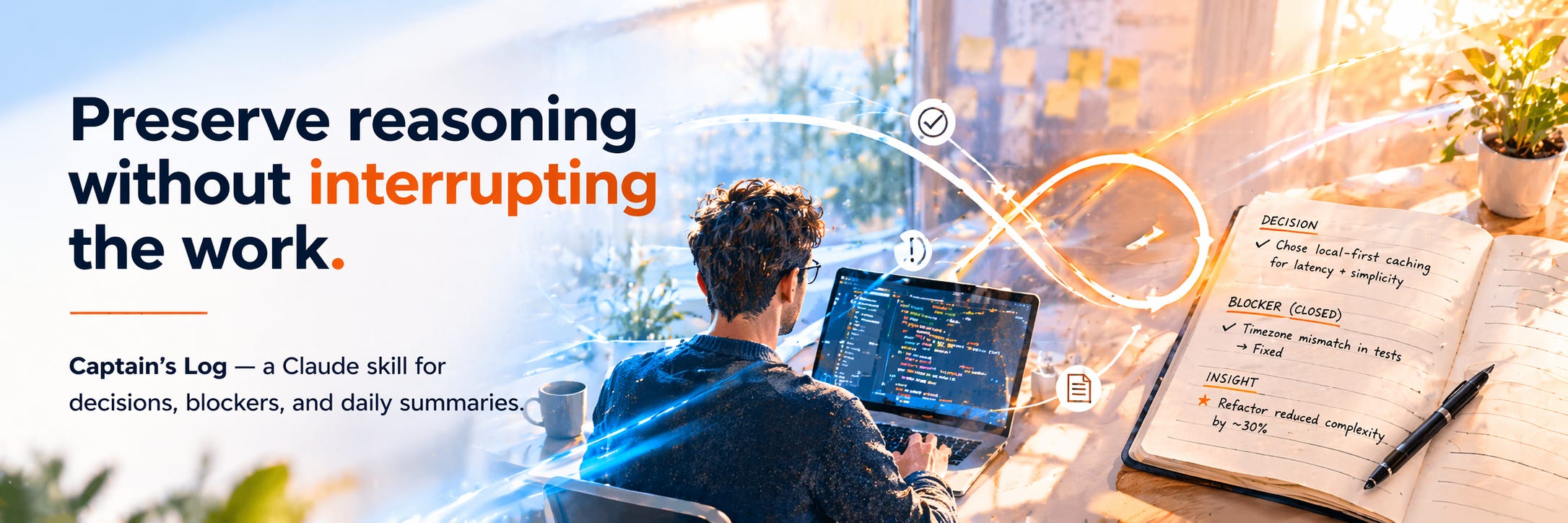
When the work is going well, I’m not stopping to write things down. Flow state and documentation are in tension. The moment you break to capture a decision, you’ve interrupted the thing that made the decision worth capturing.
That’s not a discipline problem. It’s a design problem. The tool for keeping notes shouldn’t require you to stop working.
So I built a skill that stays out of the way and keeps track anyway. It runs alongside the session, logs what’s happening, and asks almost nothing of me while I’m in it. It’s called Captain’s Log.
What it does
Captain’s Log runs in the background of a working session and logs what actually matters. Not what you did. What it meant.
When you
Make a git commit; it captures the why behind the commit message. The diff already records what changed. The log captures the intent.
Hit a blocker, and it opens an entry. When the blocker resolves, it closes one. When you make a design decision, it notes the fork and the path chosen.
Are done for the day, you say “tidy up.” The raw entries get distilled into a clean summary. Three to seven bullets. Signal only. Written for someone who wasn’t in the room — including the version of you who opens this file in six months.
The format
Every entry has a type: aha, insight, decision, opened, closed, observation, context-file.
The type forces you to characterize what you’re capturing. You can’t write “spent time on X” if you have to say whether it’s a decision or an observation. That friction is the point.
Each day, the file has two sections. The raw log is the timestamped record as it happened. The summary is the distillation. The raw log never gets edited. The summary is what you read.
One file per day. Plain Markdown. Lives wherever you want — global folder, or inside the repo at captains-log/.
If your branch name includes a ticket reference — ANA-42-refactor-models, say — the ticket pre-populates on every entry for the session. Nothing to configure.
The demo
Skills are hard to explain in the abstract. You need to see what they produce.
I built two demo log sets. The first reconstructs the creation of Git — April 7–16, 2005. Seven days of working notes from Linus Torvald’s building version control from scratch after BitKeeper’s license got revoked. Terse. Technical. Decisions captured at speed. A two-sentence entry and on to the next problem.
The second is the seven days of Genesis, reframed as an engineering build. Dr. McCoy is the engineer on call. Spock files the tickets. Kirk ships things before the dependencies are ready. Same format, completely different register.
The point of having two demos isn’t the humor. It’s the contrast. The format works across completely different contexts because the structure is just a container. The voice fills it.
Run captains log demo from any Claude session to browse them interactively.
What I learned building it
The Opened / Closed pattern turned out to matter more than I expected. An Opened entry is a commitment to return to something. A Closed entry is proof you did. The log serves as a lightweight accountability layer without requiring a separate tracking system.
The tidy-up pass is the most valuable step. Not because the summary is better than the raw log. Because writing it forces you to answer the question: what actually mattered today? Asked daily, that question changes how you work. You start building toward an answer worth writing.
The log is also different from any artifact the session produces. The artifact is what you made. The log is how you made it, and why, and what you understood by the end that you didn’t at the start. AI keeps that record in the background, continuously, without requiring the discipline to maintain a diary.
That’s the bet. The reasoning is worth keeping. Now there’s a way to keep it.
Install
One file. Drop it in your Claude skills directory.
The repo has the skill, an install script, and both demo sets. First use asks where to store logs and offers to show an example before your first real session.
Option 1 — Terminal (macOS/Linux)
Open a terminal and paste:
curl -fsSL https://raw.githubusercontent.com/dhk/captains-log-repo/main/install.sh | bash
Before running any curl-piped script, read what it does first. This one is 50 lines. It finds your Claude skills directory, copies the skill folder in, and confirms the path. Nothing else. Verify that before you run it.
Option 2 — Manual
Clone or download the repo at the link below, then copy skills/captains-log/ into your Claude skills directory.
If this is useful, forward it. If something’s wrong, reply and let me know. Building this in public means the feedback loop is part of the work.