
Building a Thoughtful Document Vault on Top of Evernote
A design-first, open-source experiment in long-term storage and retrieval

I’m extending my Evernote setup into a governed document vault—keeping the parts that work, while implementing a thoughtful solution around how content is stored, accessed, and reused.
Subscription-based pricing has a way of compounding quietly until it becomes hard to justify. In my case, I was looking at a 92% increase in annual Evernote fees. I still like many of the features, and I value the unstructured storage model, but that increase wasn’t aligned with how much I actually use the product.
Rather than walk away, I’m enhancing the system around it.
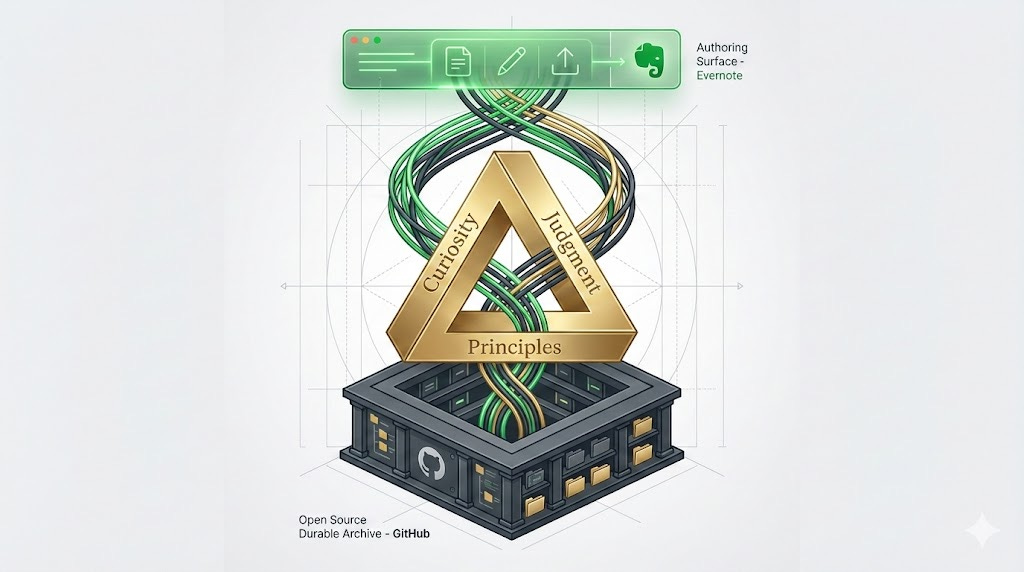
The goal is straightforward: consolidate content into a durable archive that respects licensing and access boundaries, while remaining fast to search and easy to use. Evernote continues to be the capture and authoring surface. The vault is designed to be thoughtful about structure and boundaries, provides cost-effective long-term storage, and surfaces what I hope will be an elegant interface for retrieval.
By indexing the archive with macOS Spotlight, I can surface notes from anywhere on my Mac in seconds. With Evernote-native retrieval, I can pull the right content in when I need it. Evernote shifts from an effectively closed notebook into part of a deliberate, end-to-end system.
This also gives me space to design the system the way I want it: preserving flexibility, making boundaries explicit without being restrictive, and aligning the tool with my actual workflows rather than adapting to someone else’s defaults.
I’m building this in the open. The project is open source because I suspect other people are feeling the same itch, and I hope others find the approach useful or interesting—even if they take it in a different direction.
Along the way, I’ll be posting regular updates to the GitHub repo, as well as sharing more of the design thinking and AI-augmentation techniques that are helping move this forward.
Want to chat about it? Email me or let’s chat: schedule time on my calendar.